
What is Event User Experience?
Event User Experience (UX) is the complete set of impressions and interactions an attendee has when engaging with a brand in a physical space – from the first visual impression, to how easy it is to navigate and find information, to the quality of conversations with the team and the way the offer is presented. In event marketing, UX goes far beyond booth aesthetics: it includes designing the visitor journey (visitor flow), interaction points, content communication, and overall comfort in the space.
In the context of trade shows, roadshows, showrooms, and corporate events, UX is a tool for building a brand experience that supports both sales and brand goals. Well-planned event UX helps attendees understand your value proposition faster, reduces the time needed to reach key information, and increases the likelihood of a meaningful sales conversation.
What are the main goals of Event User Experience?
The goals of UX at events come from combining audience needs, brand communication objectives, and exhibition conditions (crowds, noise, limited time). Most often, they include:
- making it easier to find your way around the space and reducing the time spent searching for information about the offer,
- increasing the number of high-quality interactions with the team through clear zoning and straightforward invitations to talk,
- ensuring a consistent experience aligned with the brand identity and the online/offline campaign,
- improving message recall through a consistent content hierarchy and repeatable touchpoints,
- reducing entry barriers such as unclear messaging, congested walkways, or the lack of an intuitive “first step.”
What are the benefits of Event User Experience?
UX translates into measurable outcomes because it affects visitor behavior at the exact moment they make quick decisions: stop or keep walking, ask or just glance, share contact details or not. Benefits include, among others:
- a higher booth entry rate and longer dwell time in the exhibition space,
- better lead quality by matching content to visitor intent at different decision stages,
- less communication chaos, because attendees understand faster what you offer and who it’s for,
- a more consistent brand experience that builds trust and reduces the gap between promise and real-world interaction,
- easier scaling across future events thanks to repeatable spatial and material solutions.
In practice, UX also supports the on-booth team: clearly defined areas for conversations, demos, and consultations reduce cognitive load, help prioritize discussions, and make it easier to maintain service standards.
What are the challenges and limitations of Event User Experience?
Designing UX in an event environment requires accounting for factors a brand can only partly control, as well as making trade-offs between ambition and logistics. The most common challenges include:
- fluctuating foot traffic and noise levels, which make conversations and content visibility more difficult,
- limited contact time, meaning messages must be short and clearly prioritized,
- the risk of “overloading” the booth with elements competing for attention and disrupting visitor flow,
- misalignment between marketing and sales if conversation scenarios and the brand promise aren’t agreed in advance,
- difficulty measuring impact without predefined KPIs such as number of conversations, lead quality, time spent in zones, or post-event conversions.
How is Event User Experience used at trade shows and events?
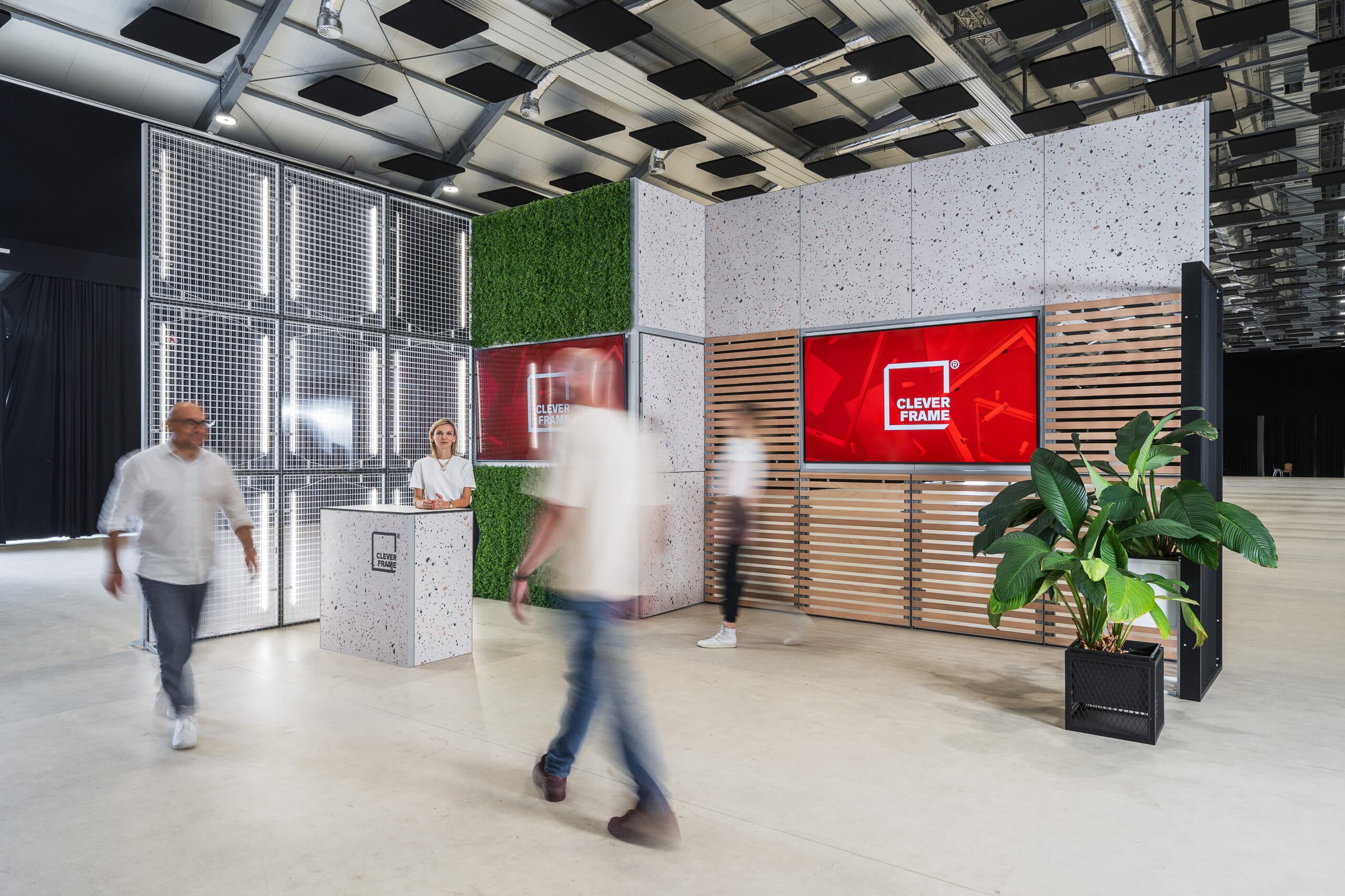
UX at a trade show booth starts with space planning and a logical visitor path: where the entrance is, what people see in the first 3-5 seconds, and how easily they can move into a conversation or a demonstration. Consistent visual communication is critical: graphic messages should create an information hierarchy (category, benefit, proof, call to action) and answer key visitor questions without requiring extra explanation.
In Clever Frame trade show booths, repeatability and quick layout adaptation to different floor plans play an important role. A modular structure based on frames and connectors makes it easy to plan clear zones, while tool-free assembly and disassembly simplifies event logistics and reduces the number of potential mistakes during setup. In addition, the magnetic system allows you to swap graphic panels quickly – adapting them to seasonal campaigns or changing marketing trends – without rebuilding the entire exhibition stand.
What are practical examples of Event User Experience in action?
It helps to plan UX like a scenario: what task should the visitor complete, and what cues help them take the next step? Examples of actions that often improve the attendee experience include:
- designing visitor flow with a clear separation between a “first contact” zone and a deeper conversation zone,
- using a consistent messaging hierarchy on graphic panels – from a short value promise to specific use cases,
- preparing interaction points aligned with the event goal, such as a quick product demo, an expert consultation, or fast needs qualification,
- supporting comfortable conversation with appropriate interpersonal spacing and removing “bottlenecks” in walkways,
- implementing a follow-up process in which collected contacts receive continued communication that matches what they saw and heard at the booth.
UX works beyond trade shows as well: in a showroom it organizes the narrative and guides the customer through the offer, and in a roadshow it helps standardize the brand experience across multiple locations. In both cases, the key is for layout, content, and service to form a cohesive whole – repeatable and improvable based on observation and data.