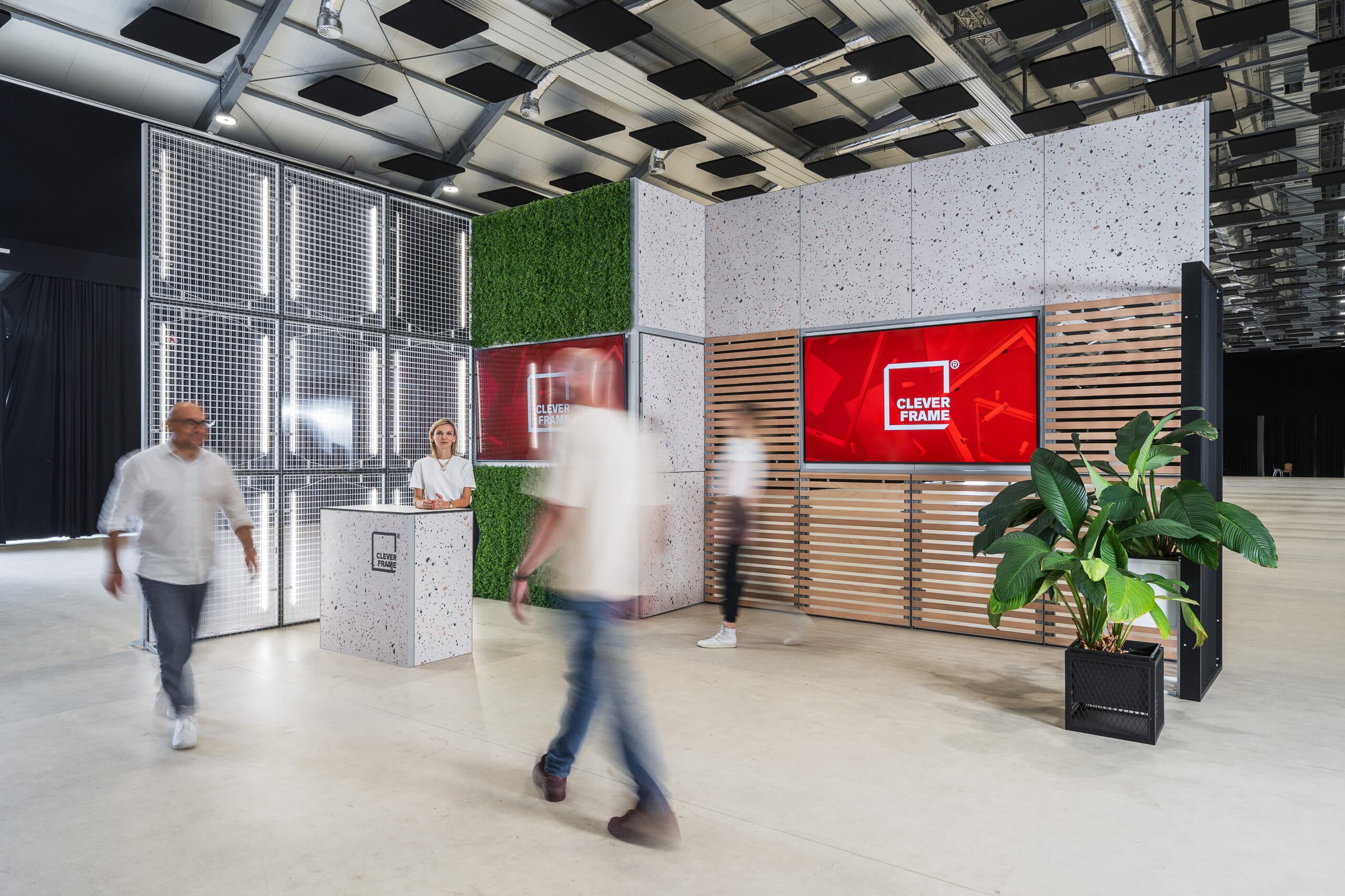

What is user experience design?
User experience design (UX) is the planning and shaping of how people perceive a brand, move through a space, and interact with communication, a product, and the team during a live encounter. In the context of trade shows, event marketing, showrooms, and roadshows, UX includes both functional elements (e.g., a clear booth layout, an intuitive visitor path) and emotional ones (e.g., feeling that the offer is understood, brand consistency, comfort during conversations).
In offline settings, UX connects spatial design with communication and sales goals: it helps reduce the distance between the brand and the audience, makes the value of the offer easier to understand, and can increase lead generation effectiveness through better-planned touchpoints. A well-designed booth experience supports brand recall, reduces information chaos, and builds trust through message consistency and predictable interactions.
What are the main goals of user experience design?
UX design in trade show and event spaces focuses on visitor behavior and how, in a short time, people move from interest to a conversation and a decision about the next step (e.g., a meeting, a demo, a quote). In practice, UX goals include:
- making the offer easier to understand through message hierarchy and clear information points,
- designing visitor flow so visitors intuitively know where to go, what to touch, what to ask, and where to move next,
- creating conditions for sales conversations, including zones with different levels of privacy and noise,
- ensuring visual and narrative consistency so the brand stays recognizable regardless of booth size and event location,
- reducing friction in interactions by eliminating moments when visitors lose time, feel lost, or become overstimulated.
What are the benefits of user experience design?
UX can improve event effectiveness because it organizes booth communication and behavior around what visitors actually do. From a marketing and operational perspective, this most often means:
- more high-value interactions, because layout and messaging guide visitors to the right touchpoints,
- better conversation quality when zones are designed for specific goals (first contact, consultation, presentation),
- a more consistent brand image when visuals, communication tone, and materials support one coherent value story,
- easier scaling across events when elements are modular and help maintain the same experience standard,
- time savings during campaign changes when applied solutions make it easier to update messages without rebuilding the entire display.
Challenges and limitations of user experience design
UX design in a physical environment has different constraints than digital UX – it depends much more on context: foot traffic intensity, acoustics, neighboring booths, organizer regulations, and available floor space. Common challenges include:
- variable visitor behavior and short attention spans, which require a simple information architecture,
- spatial and technical venue constraints that affect message visibility and conversation comfort,
- difficulty measuring outcomes if metrics are not planned in advance (e.g., number of contacts, conversation time, lead sources),
- the risk of inconsistency when the booth team operates without conversation scenarios and service guidelines,
- the need to account for accessibility, including aisle widths, legible typography, and clear messaging.
How is user experience design used at trade shows and events?
At trade shows, UX starts even before someone enters the booth – what is visible from a distance and whether the message is unambiguous. Next, space organization becomes critical: where visitors can stop, what they see first, and how easily they move into a conversation.
If a booth is built in a modular system, user experience design can be supported by solutions that make it easier to change layouts and messages (e.g., modular construction and interchangeable graphic panels). This approach helps adapt the setup to different floor plans and enables quick messaging updates.
Interchangeable display systems – where panels are mounted tool-free and easily thanks to hook-and-loop (Velcro) or magnetic tape – make it easier to update content for seasonal campaigns. From a UX perspective, this means the message can stay current and the visitor experience can remain consistent across events, even when the offer, target segment, or main communication theme changes.
Examples of user experience design in practice
UX at a booth and during offline events can be designed through a set of repeatable practices that connect space, communication, and team behavior. Examples include:
- defining a clear entrance and first point of contact to reduce the time needed to understand the offer,
- dividing the display into zones aligned with visitor intent (quick orientation, conversation, presentation),
- designing the visitor path to minimize bottlenecks and cross-traffic,
- standardizing visual communication through consistent headlines, information hierarchy, and disciplined use of brand identity,
- planning the content lifecycle for graphic panels so campaign updates don’t require rebuilding the display,
- preparing the team for interactions, including short conversation scripts and lead qualification rules.
In practice, UX is most effective when treated as a process: it starts with brand goals and audience needs, moves through space and communication design, and ends with measurement and post-event iteration.
See also
- Customer Experience Design
- Event User Experience
- Brand experience
- Touchpoint